

10/30/2026 / Timepaths
Possibilities of Creation 5:
Remembering for Later
Possibilities of Creation is a weekly series that will be describing how to make cards in Timepath's card editor. The next card we will make is an action card. This will make us choose 4 cards in our deck, and reduce the seconds costs of them by half, then play the card that costs the least time. This will introduce the concept of Loops, and dive more into collections and sorting.
Getting Started
Once again, we will enter a name and description for the card. Under "Resources Gained", we will add Sand. This time we aren't going to make the card free like the last ones. We are going to make it cost 8 seconds and 4 concrete to play. Select costs and edit it. Click the plus item to add a new item to the collection (As a reminder, collections are values that contain multiple values).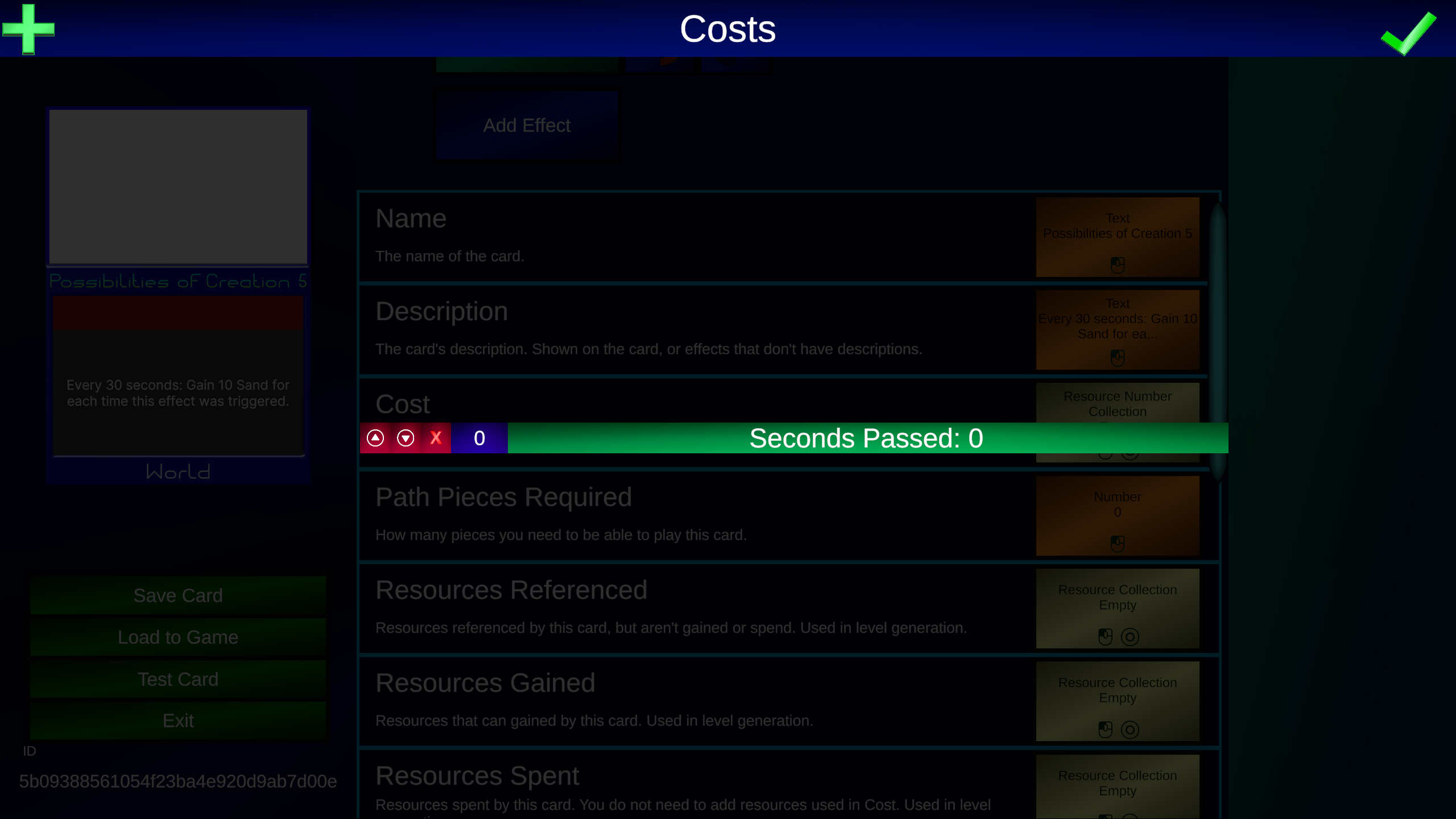 The first item we will leave "Resource" alone and set "Cost" to 8. The 2nd item we will change "Resource" to "Concrete", and set "Cost" to 4. This updates the card on the left.
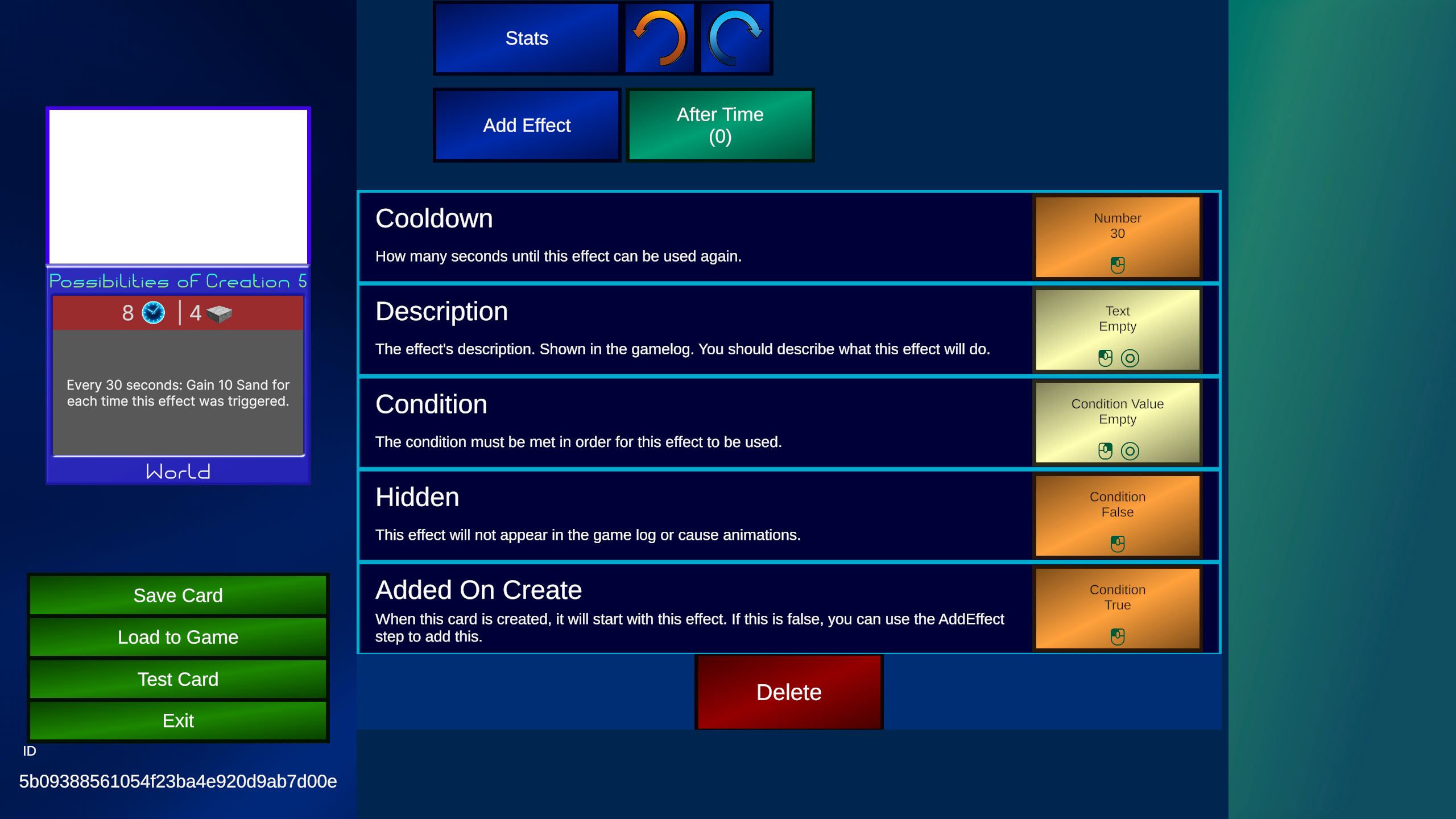
Now add a "After Time" trigger so we can make the main effect. This trigger will after the amount of seconds in the cooldown has passed. Click on the "After Time (0)" button and set the "Cooldown" to 30.
Variables
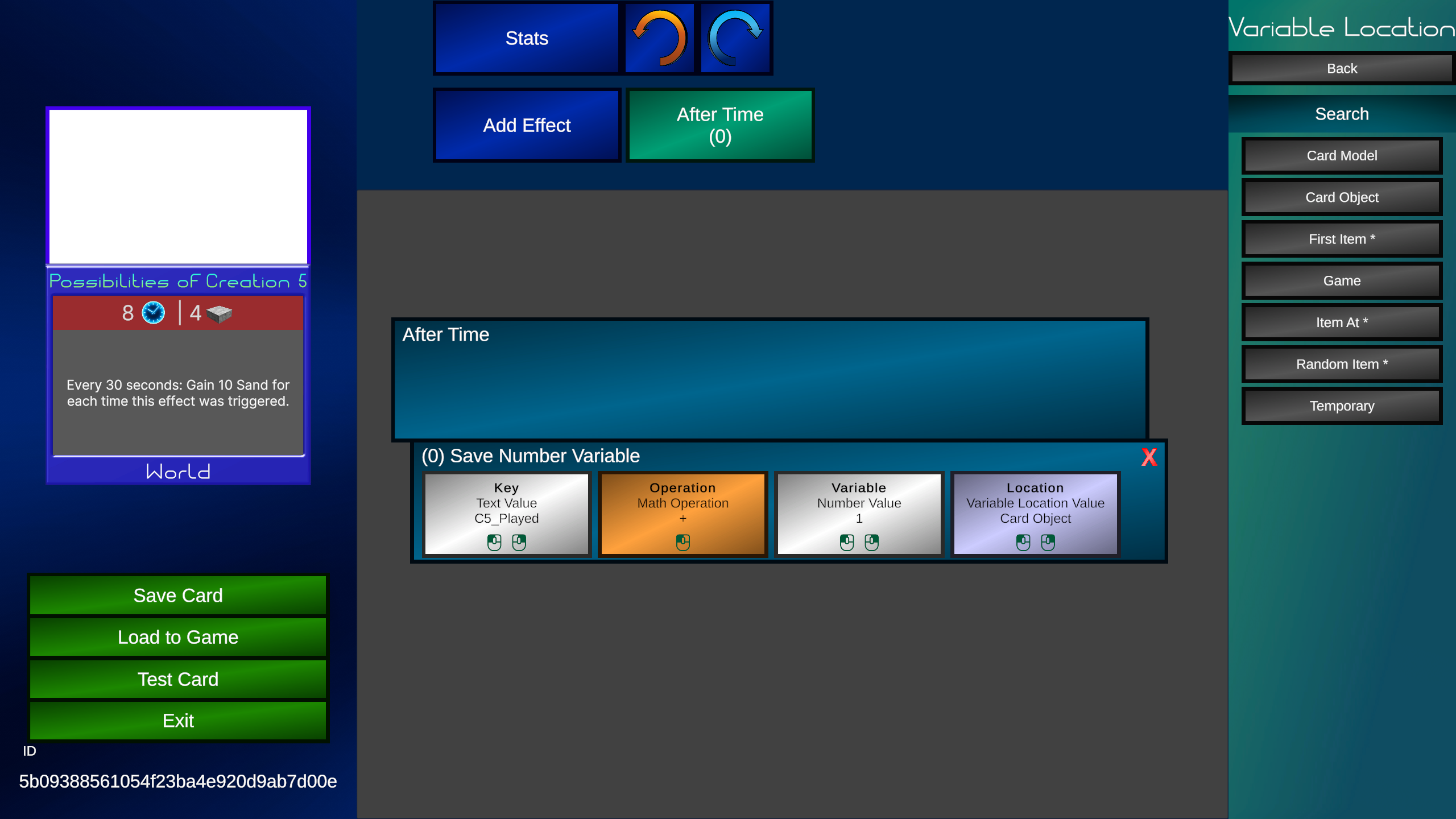
Variables are used for data we want the game to remember for later. In this case, the number of times this effect was used. We are going to use the "Save Number Variable" step. Set "Operation" to "Add" and "Value" to 1. There are 2 other important slots here. First is "Key". This key will be used to find the variable again later. You can type anything here, but we recommend something that's not too generic to avoid it being used by other cards, but keep it shorter than 15 characters. For this example, I will use the key "C5_Played"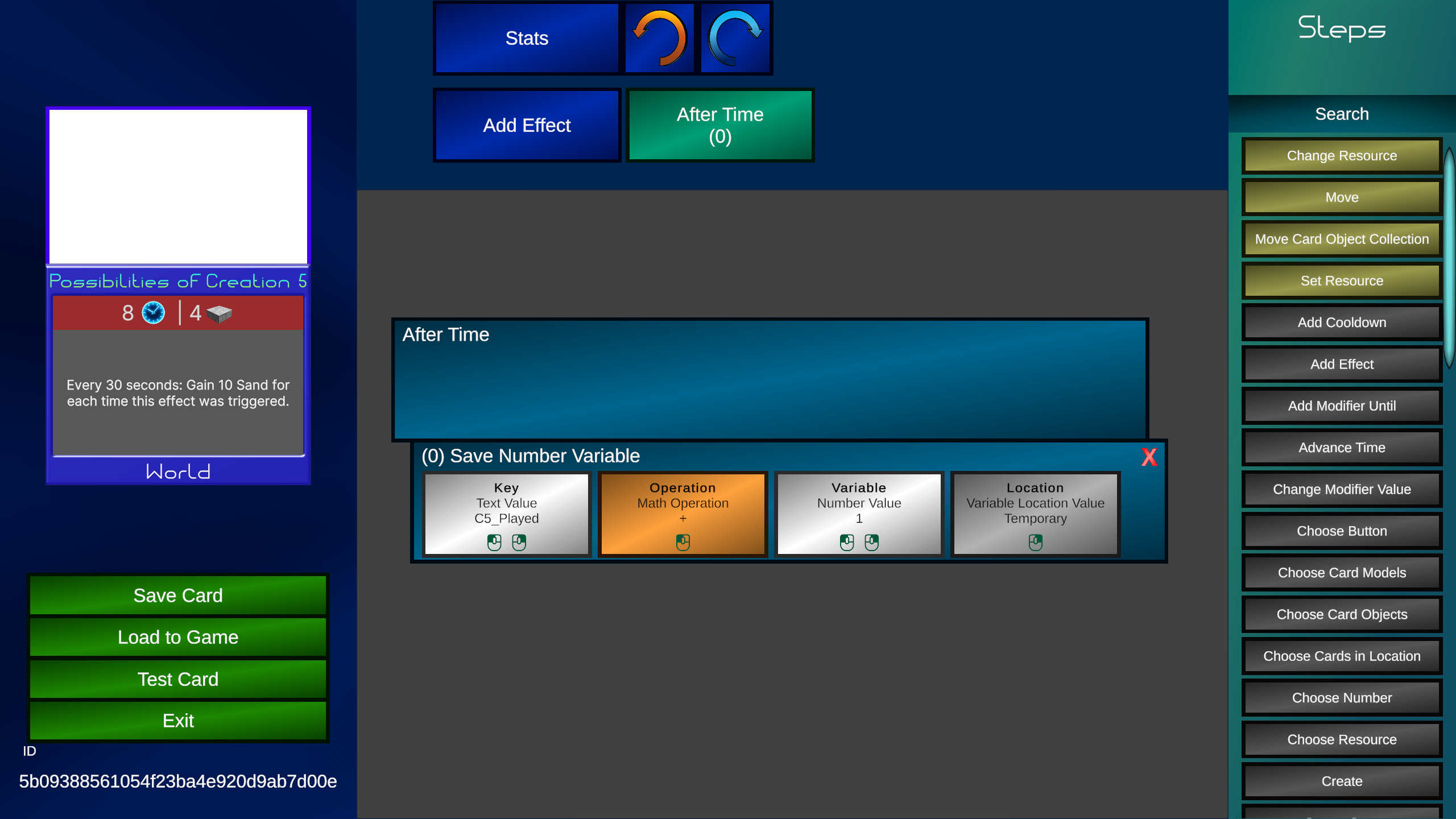 There's also the "Location" slot. This let's us decide where the variable will be attached to.
- Game: Will be stored in the game, any card can access it
- Card Object: Will be stored in a Card Object
- Card Model: Will be stored in a Card Model
- Temporary: Will be stored until this effect is finished running, then it's deleted
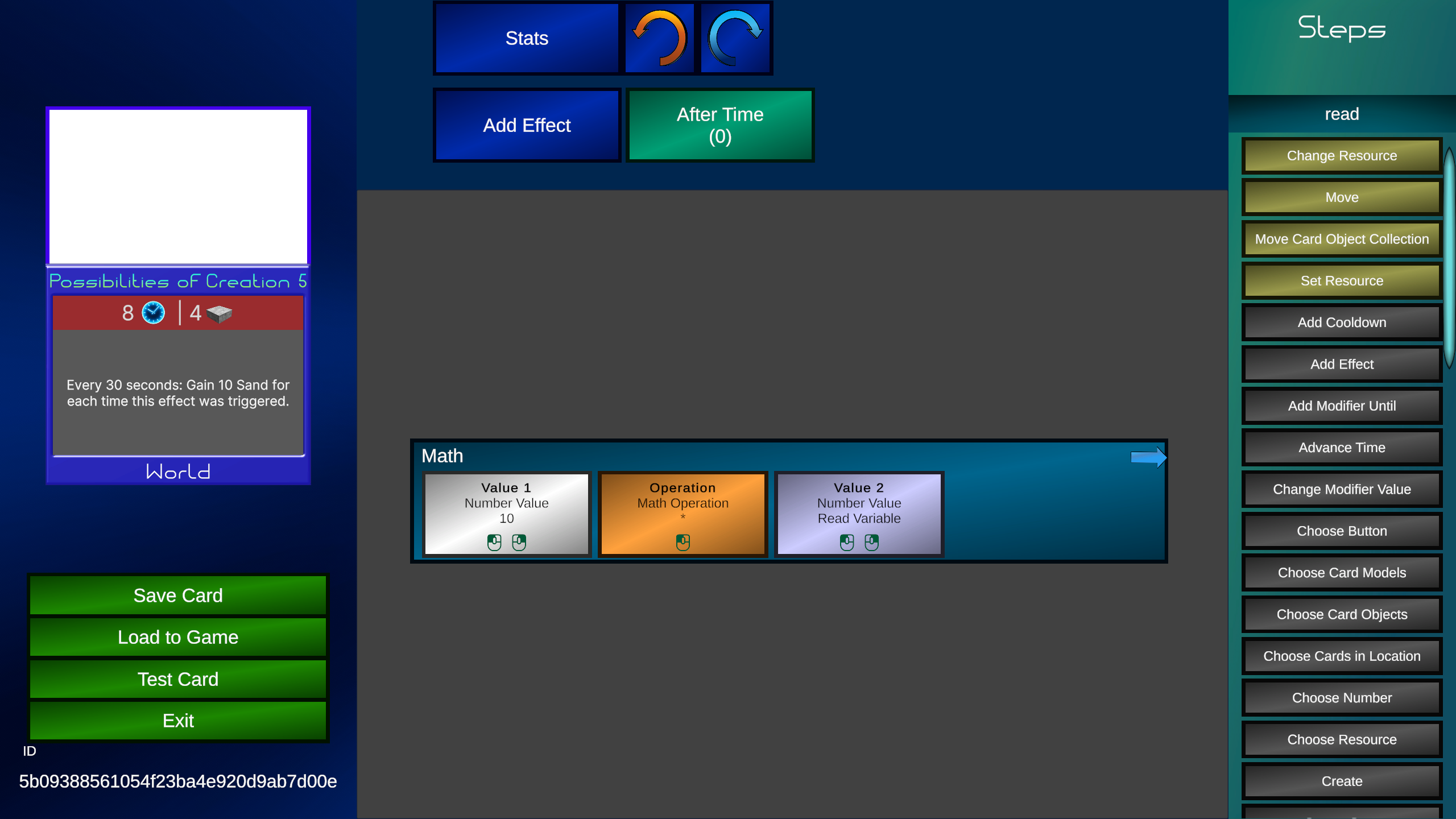
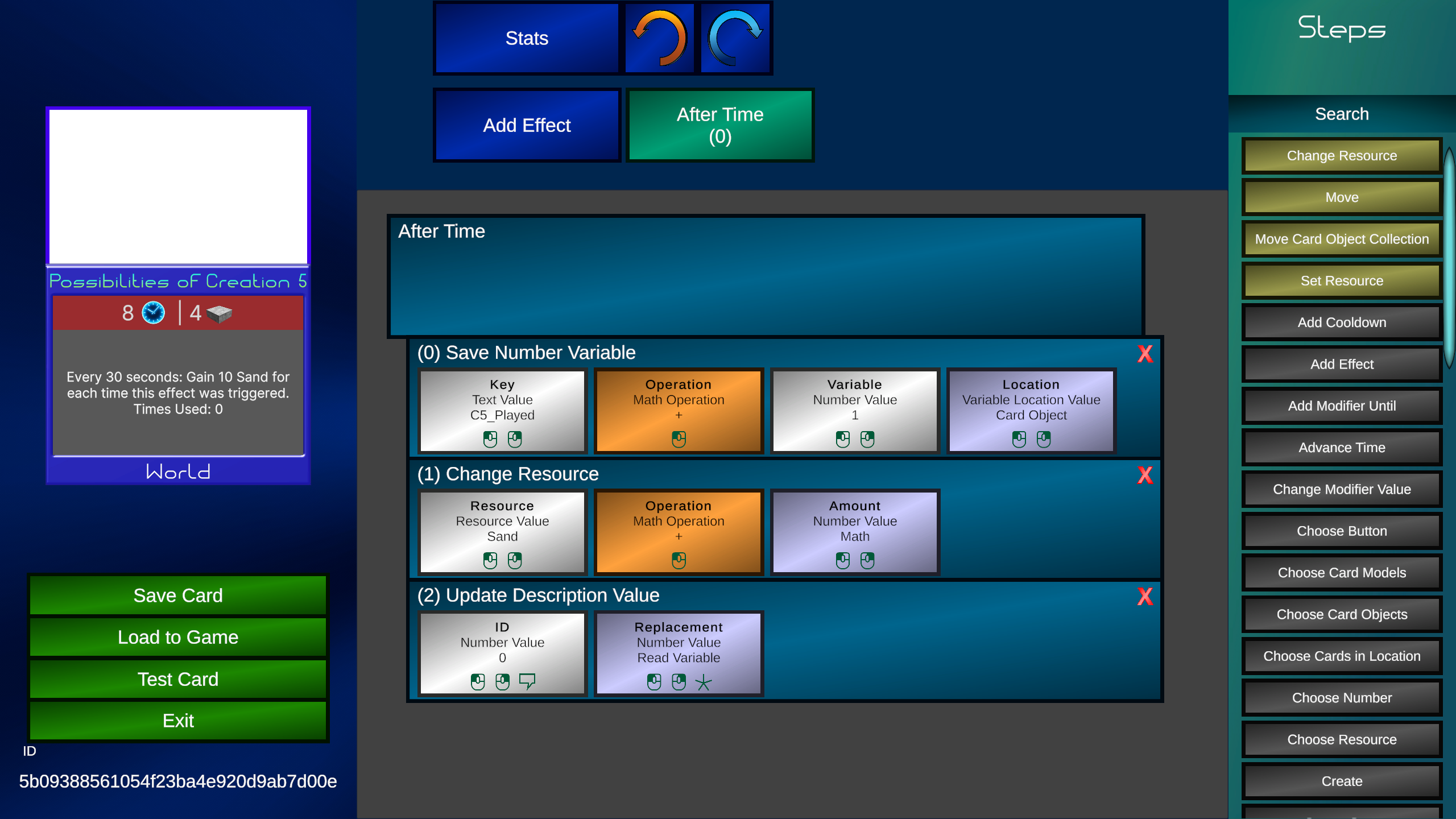
 Now we will add a "Change Resource" step, edit "Resource" to "Sand" and assign a "Math" value to the "Value" slot. We will set "Operation" to multiply, "Value 1" to 10, and "Value 2" to "Read Variable". Under "Key" and "Location", we will use the same key and location we used earlier.
Update Description
The current value of variables are kept secret and are not shown to the player. But we want the player to know how many times this effect was used so they don't have to remember. To do that, we need to use "Update Description", which can allow us to replace text on the card with whatever we want. Click on the card's description. We are going to add the following text: Times Used: {0|1}.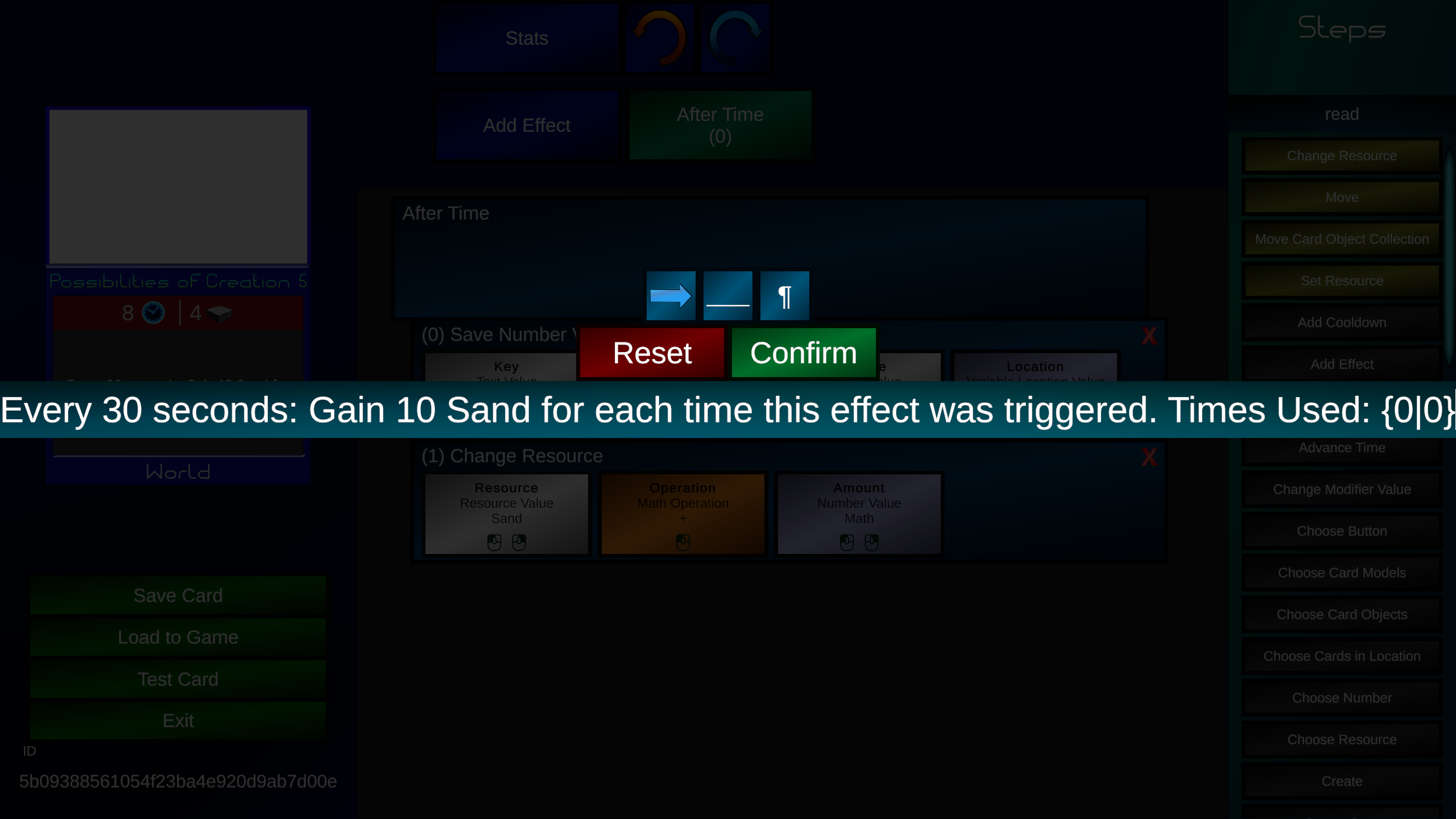 What does this mean exactly? The brackets let the game know that area of the text can be changed. The number on the left is the bracket ID, the number on the right is the default text. Looking at the card description, it currently says 0, without showing all the brackets.
Now add an "Update Description" step, and confirm that the "Bracket ID" is 0.
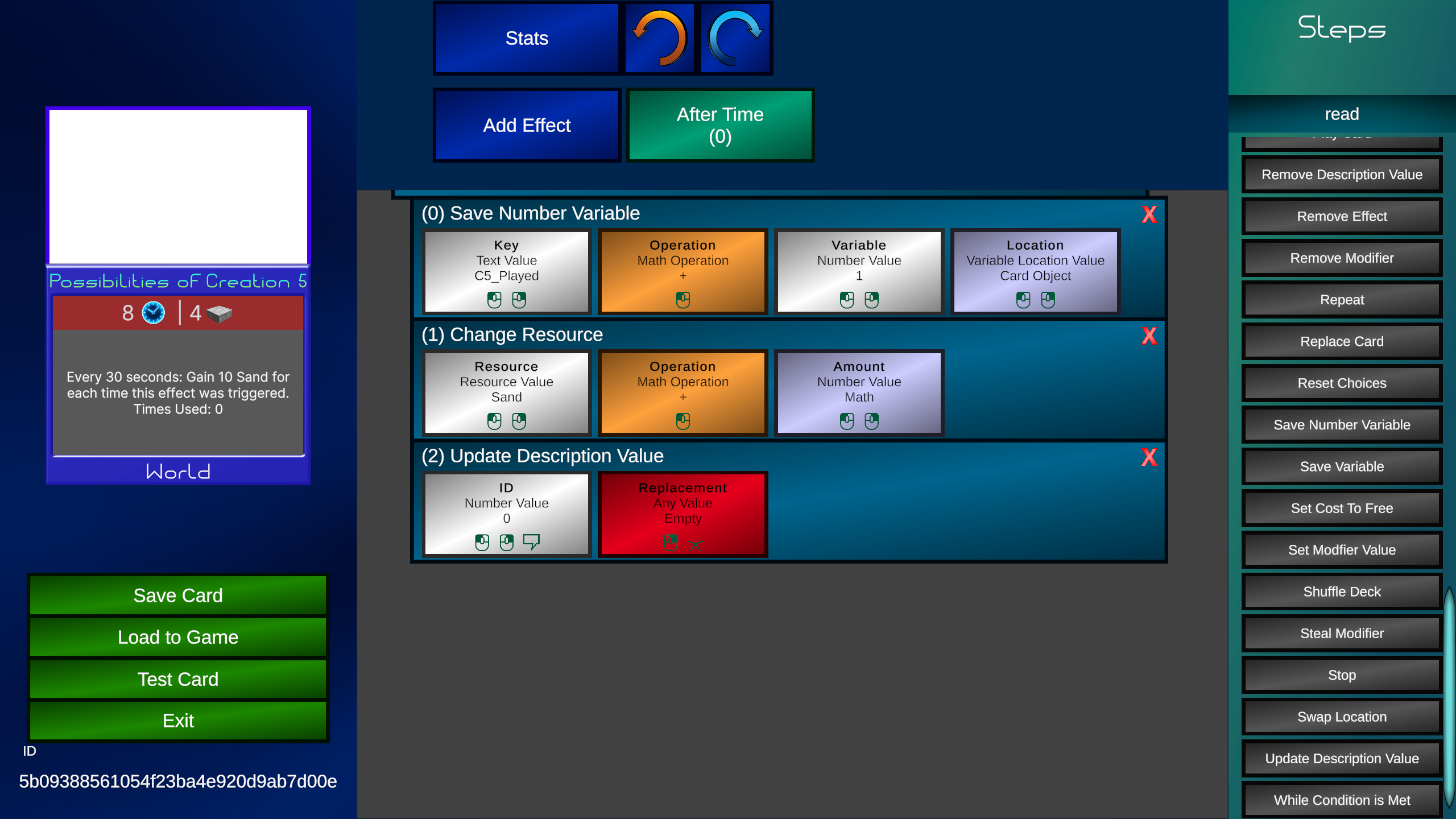 You may notice that the "Value" slot has the Data Type "Any". Any Data Types can be assigned different Data Types. When we assign "Value", it will show new blocks on the right asking which Data Type we want to use.
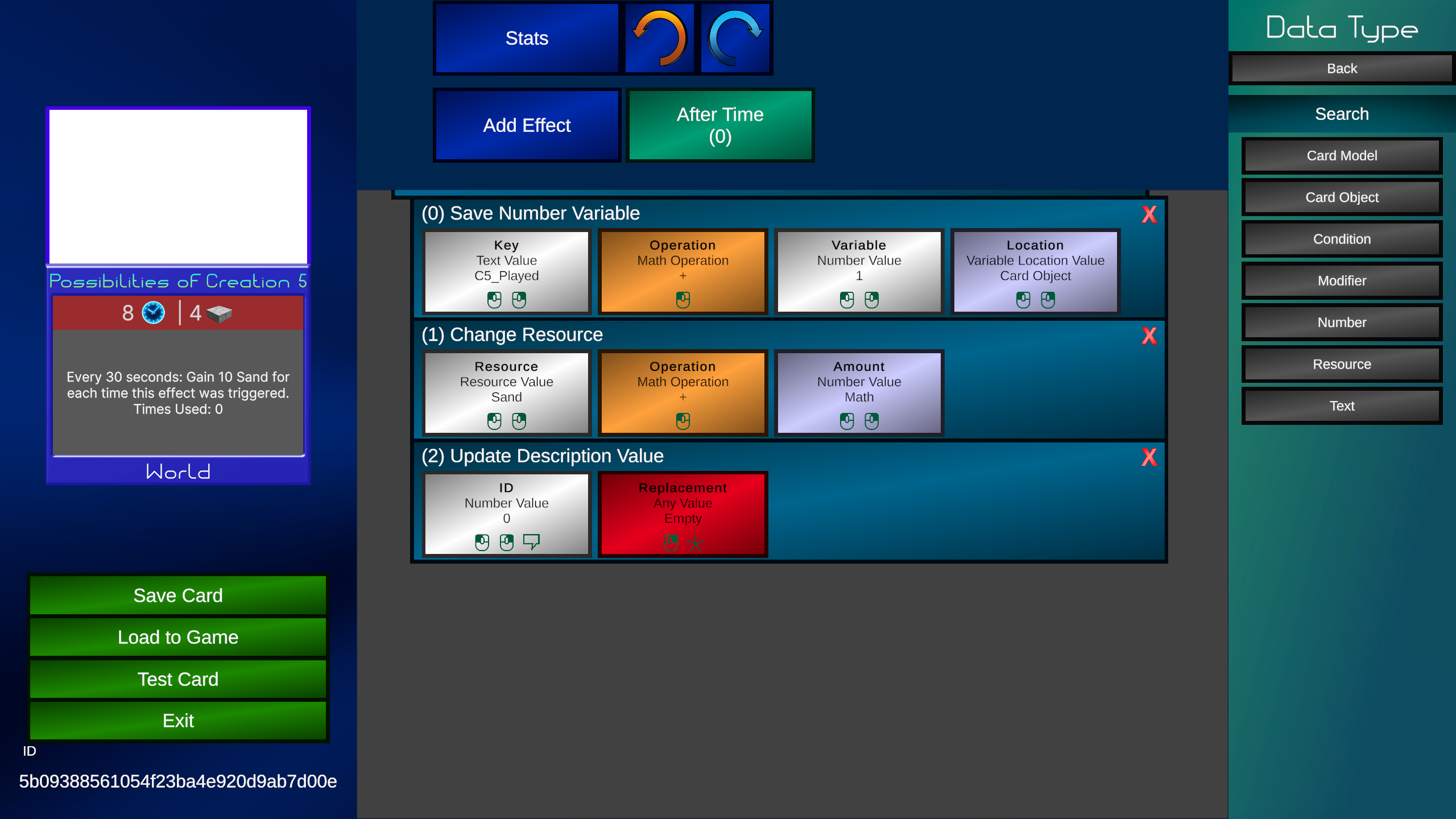 We will select "Number". Under "Number" we will select "Read Variable". Assign the "Read Variable" values the same as last time. With that, our card is complete.
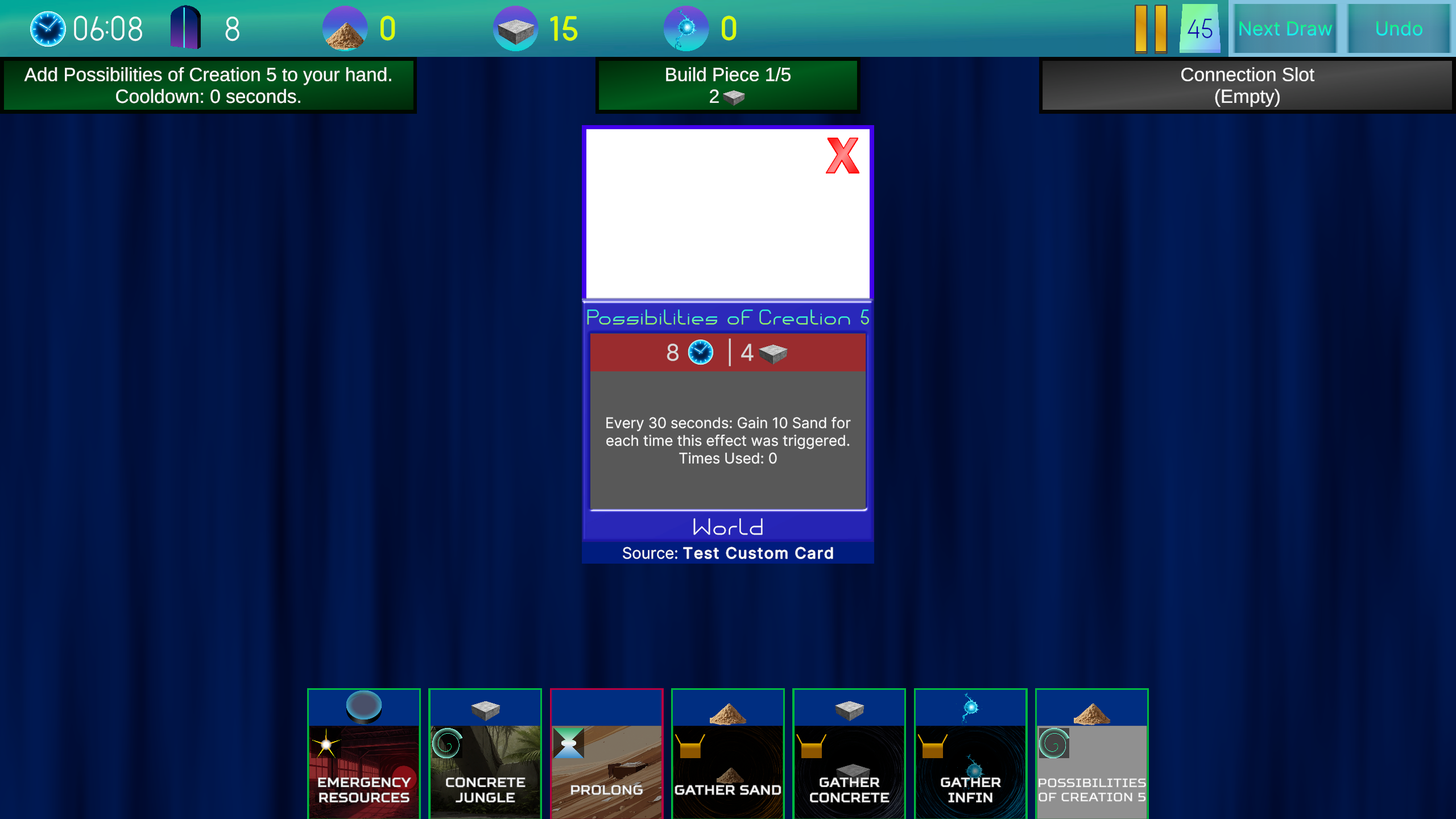
 The test starts with that card in our hand. It says it's effect has been used 0 times.
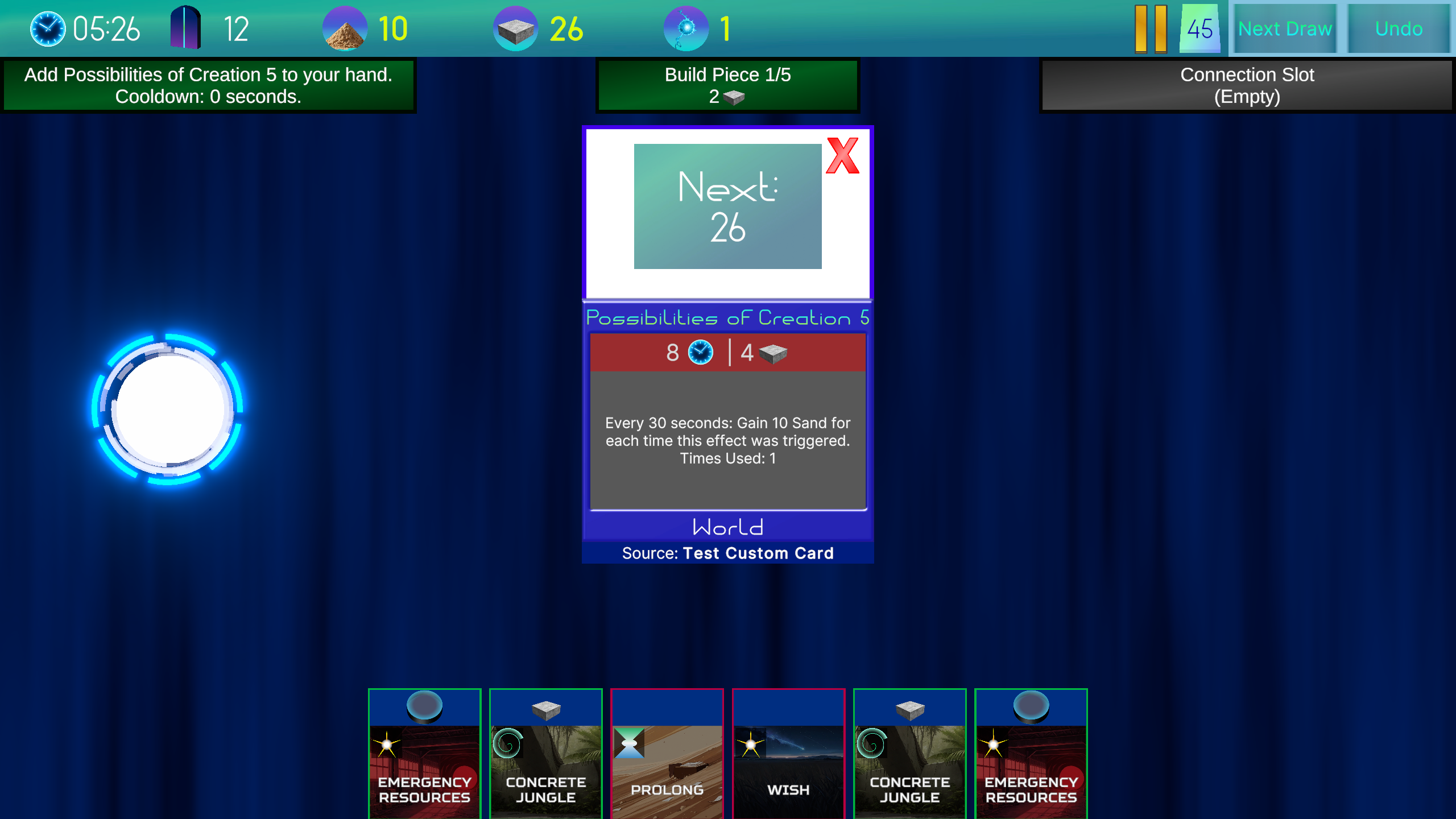
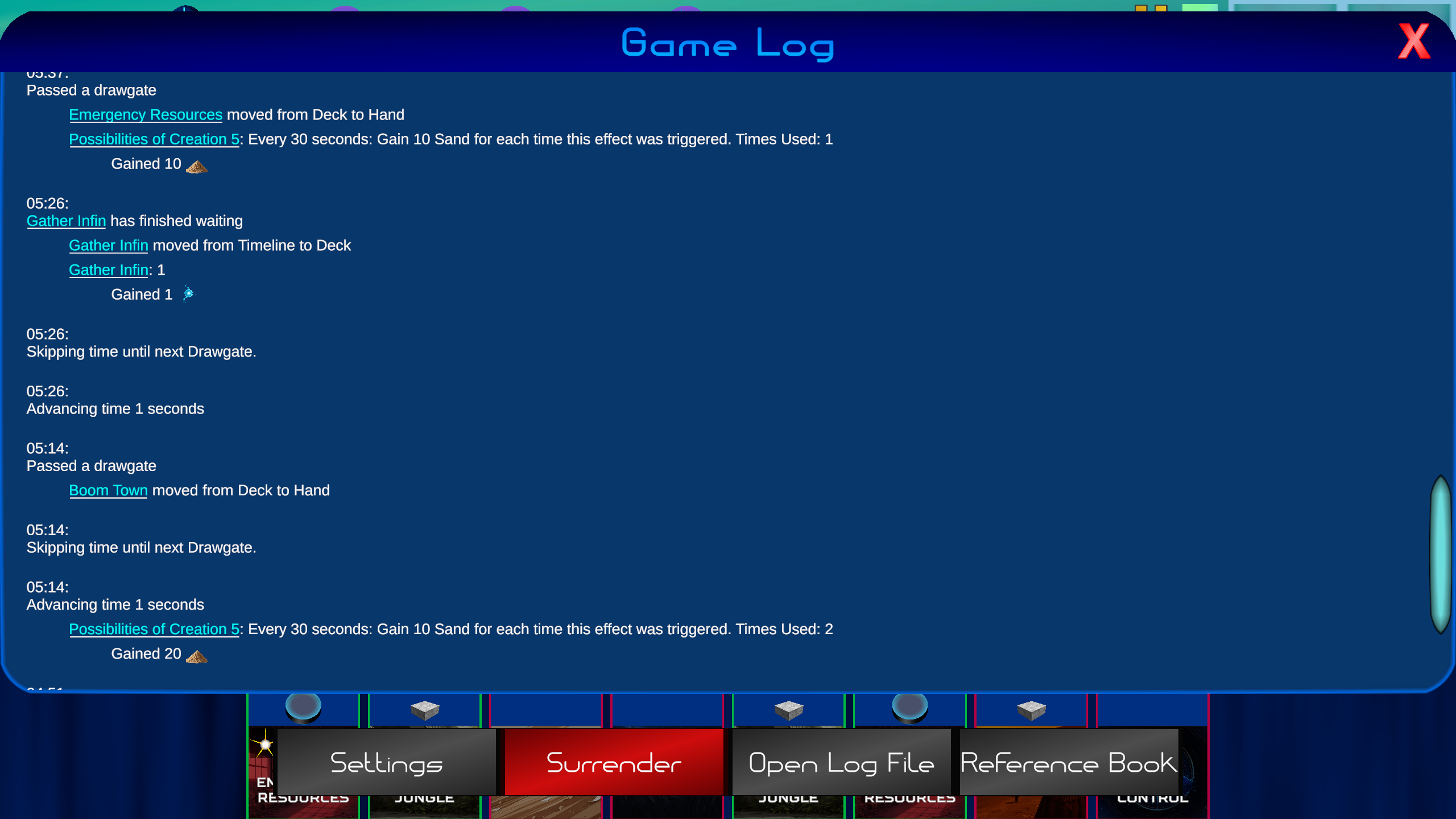
 After playing it and waiting 30 seconds, we gain 10 sand, and it now says we have used it's effect once.
 Waiting another 30 seconds gives us 20 sand.
Every week I will release 2 updates. One for Timepath's gameplay, and one for the card editor. Join our discord or follow our X account to get notified about updates.