

10/2/2026 / Timepaths
Possibilities of Creation 1: Intro
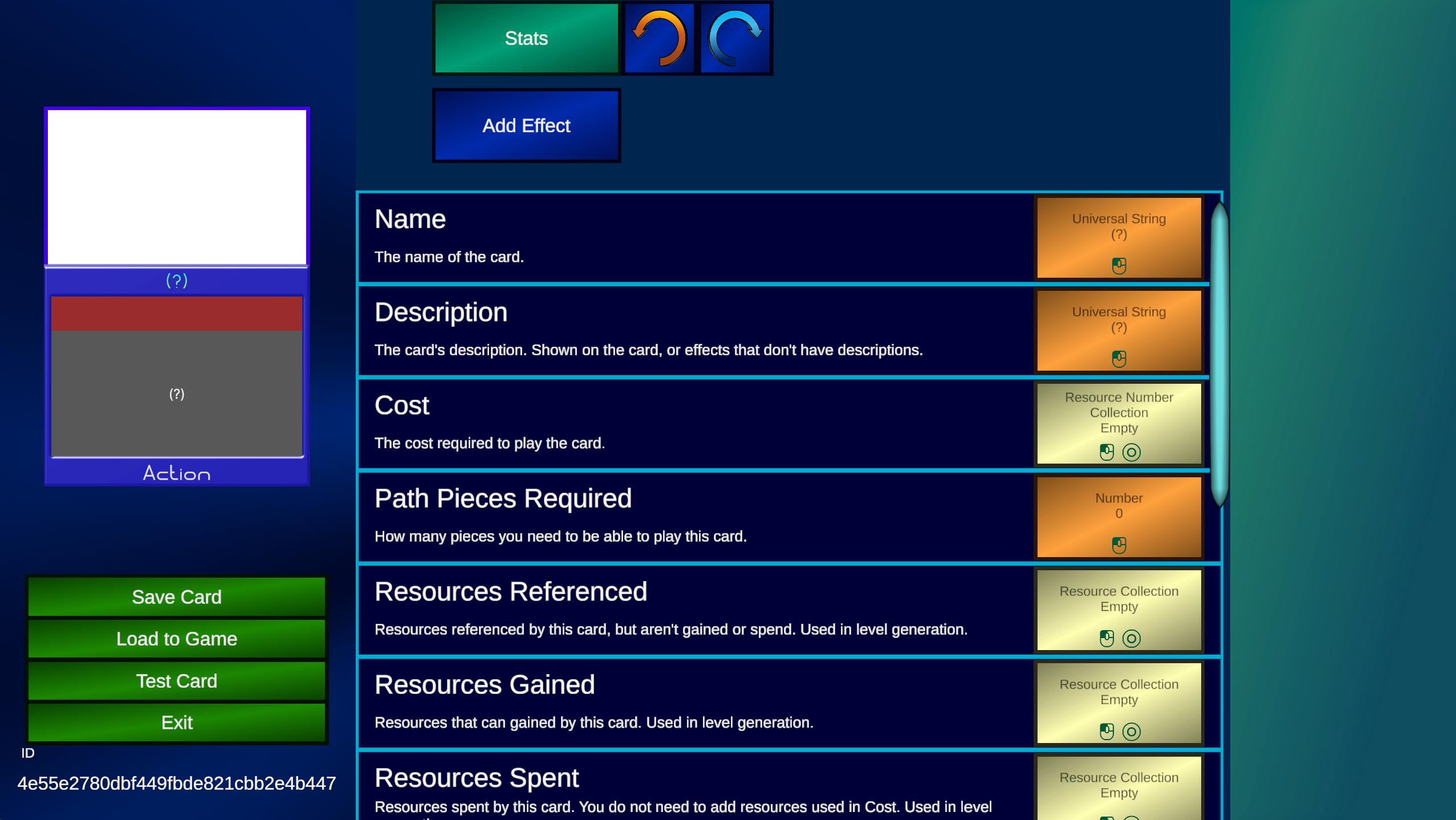
Possibilities of Creation is a weekly series that will be describing how to make cards in Timepath's card editor. The first card we will make is a simple card that draws 2 cards when it's played.Interface
Before we create a card, I'm gonna explain the interface. It is split into 3 sections.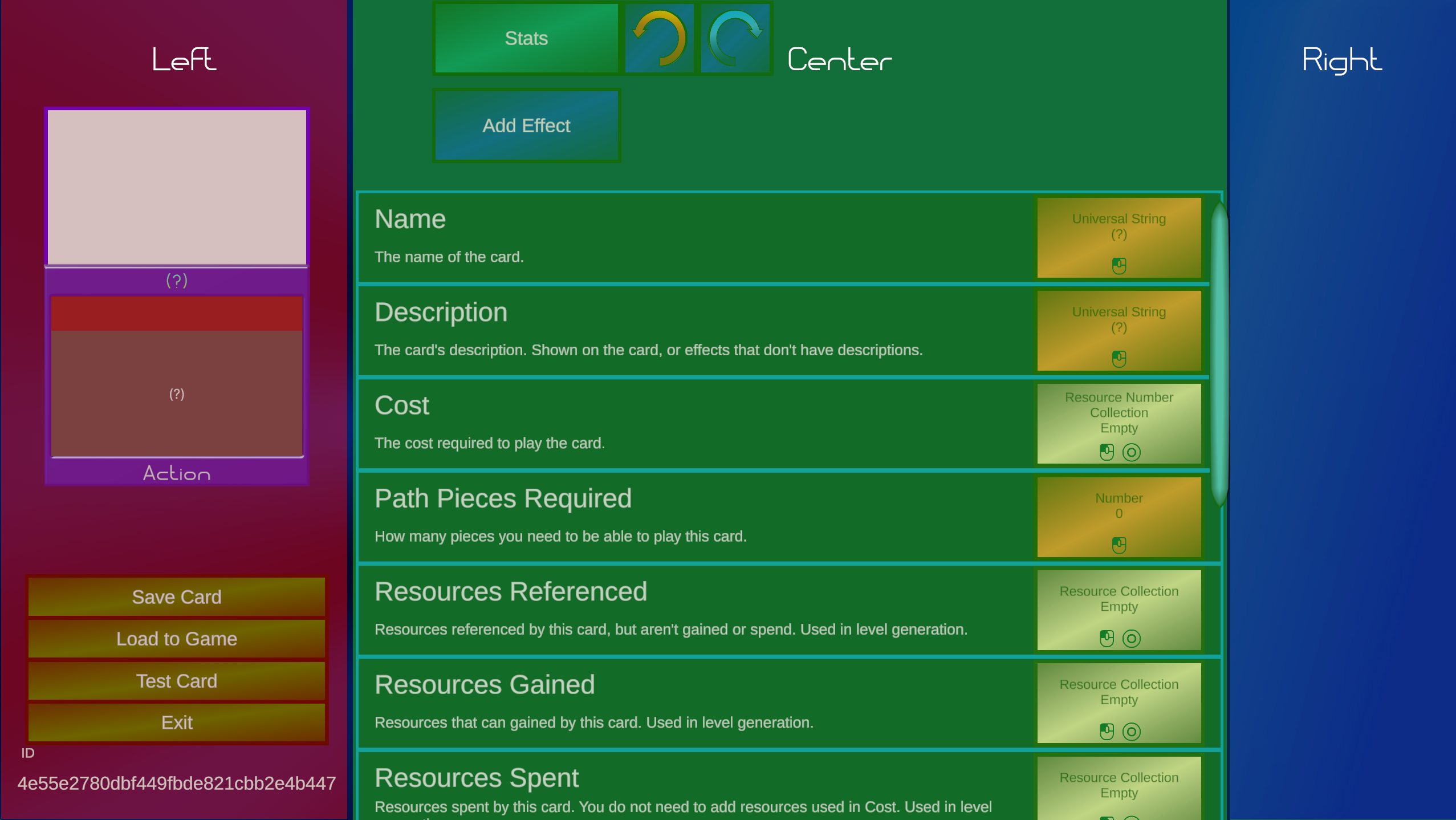
Left: Card
This displays the card you are editing. You can click on certain sections of the card to edit it, such as the name, description, or artwork. This also features other buttons useful for editing.Center: Editor
This contains everything you'll be editing. When you create a new card, you'll start on the stats screen, which allows you to modify other features on the card such as the cost. This screen can change dramatically depending on what part of the card you're viewingRight: Blocks
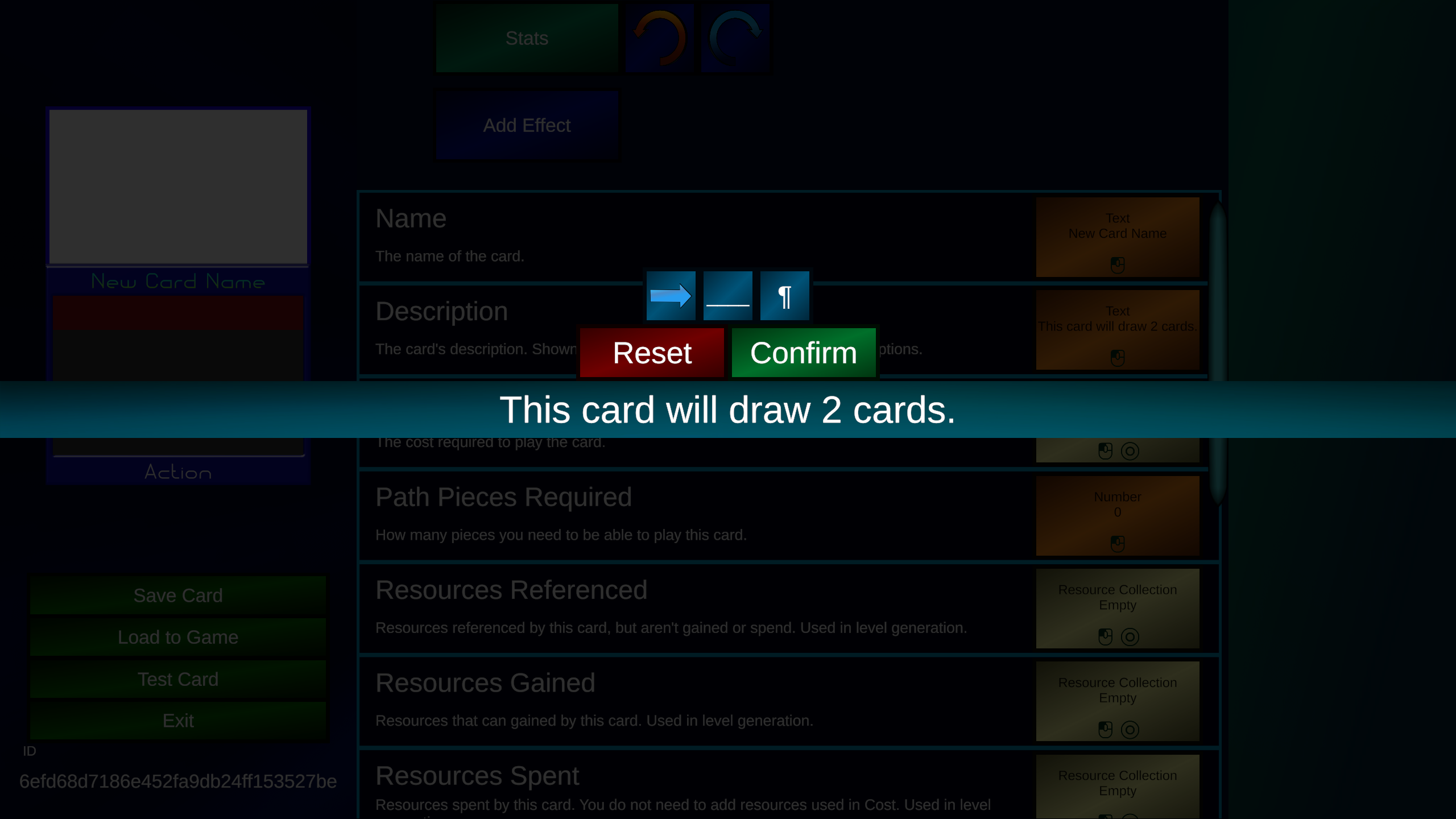
The blocks window will allow you to add new effects steps to the card. I'll explain what that means later.Now we are going to change the name and description of the card to describe what it does. We will ignore everything else in the stats screen for this card. You can click on the card's name to change the name.
Effects
It's now time to make it draw 2 cards. To do that, we need to create an effect. An effect is what makes the card actually do things. We need to press the New Effect button on the top.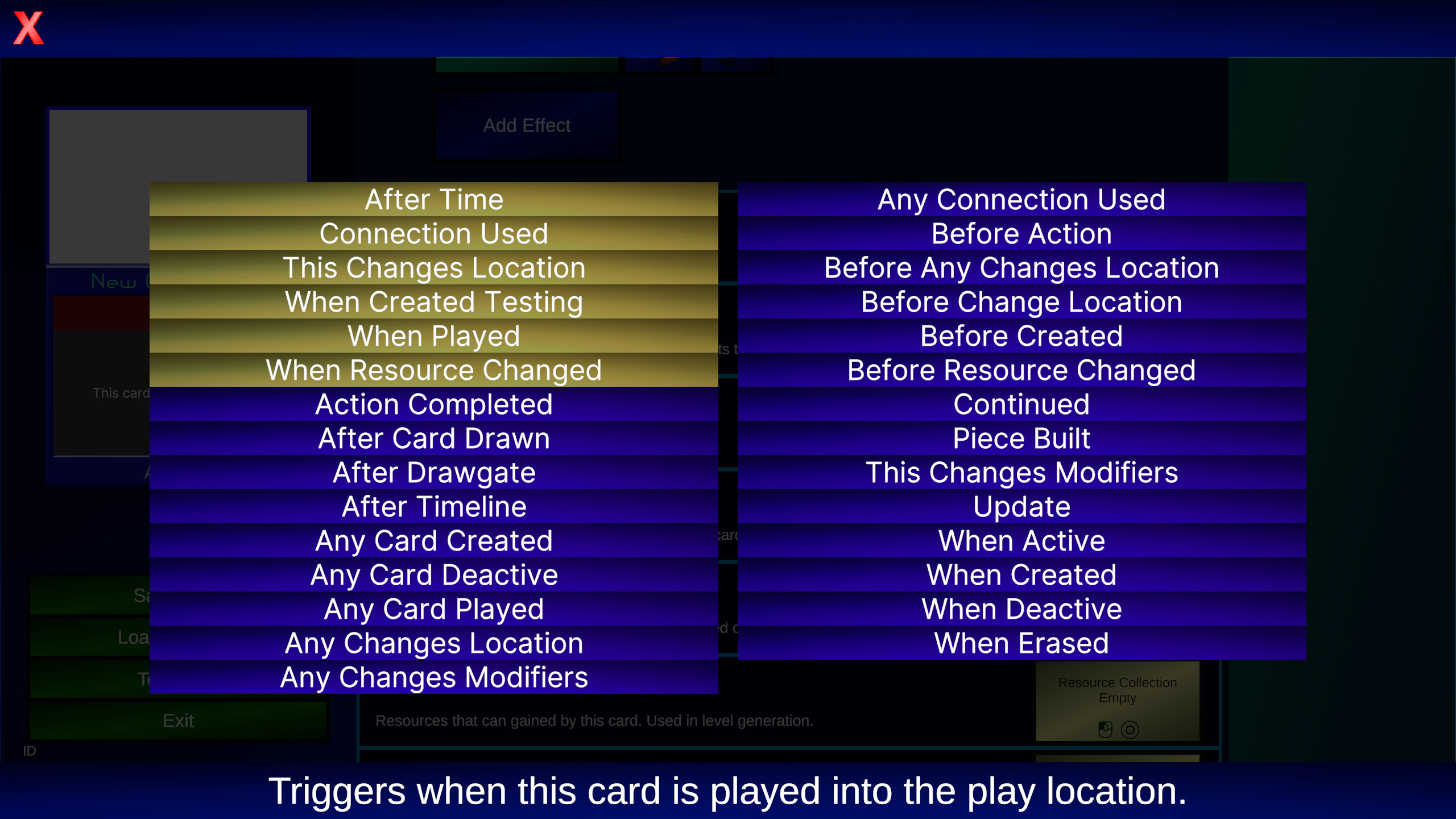 This will pop up with a list of triggers. Triggers are what causes an effect to happen. As you can see, there are a lot of options. The ones with a yellow background are the ones that are most commonly used. For this card, we will be using the “When Played” trigger.
Drawing cards
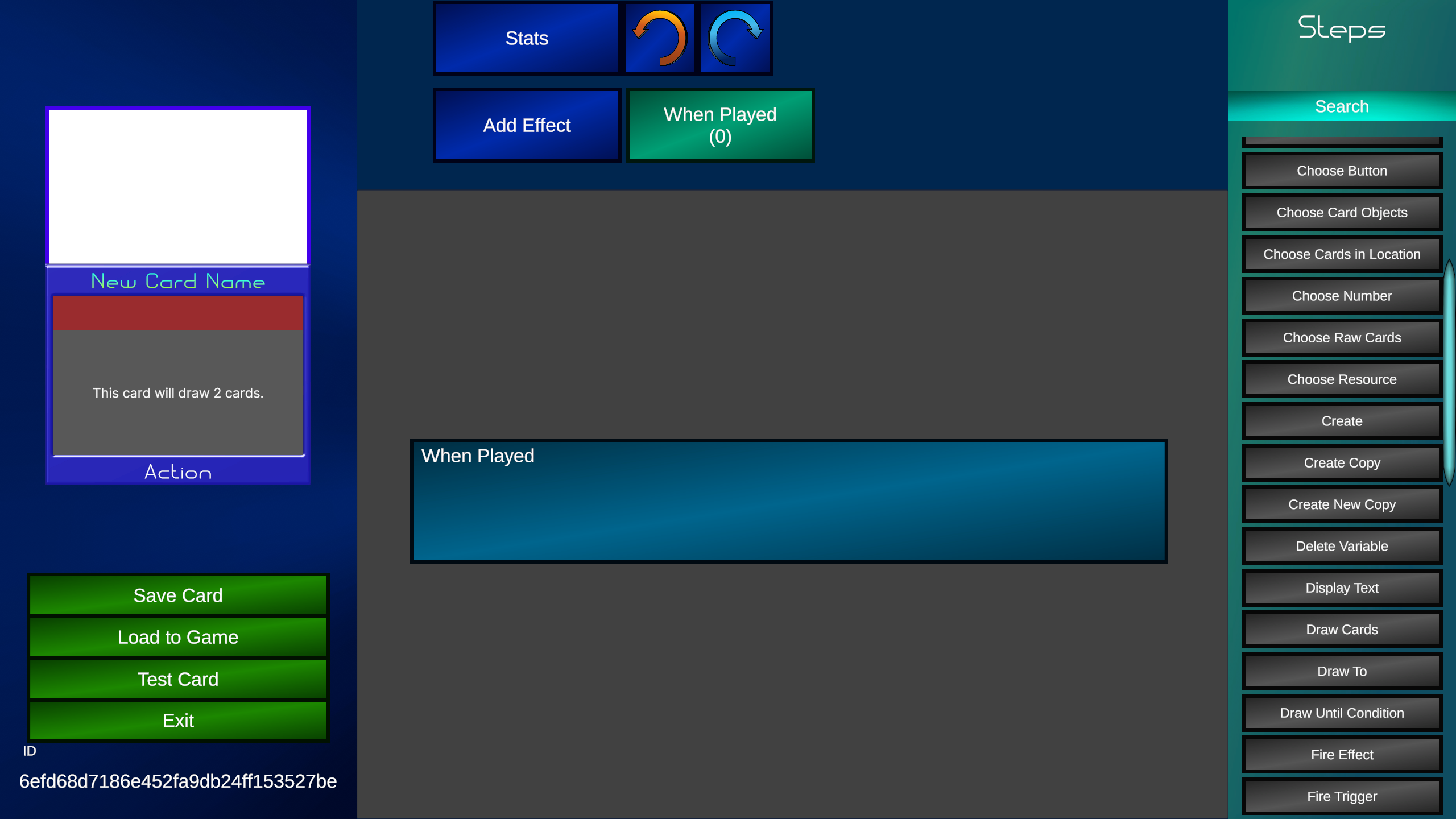 The editor section now contains the effect editor, and the right section now has steps visible. The steps are different things a card can do, like move a card, change resources, or in our example, draw cards. Think of an effect like a to do list, with all the things that a card will do occurring from top to bottom.
We are going to click on the draw cards step, doing so will add it to the effect editor in the center.
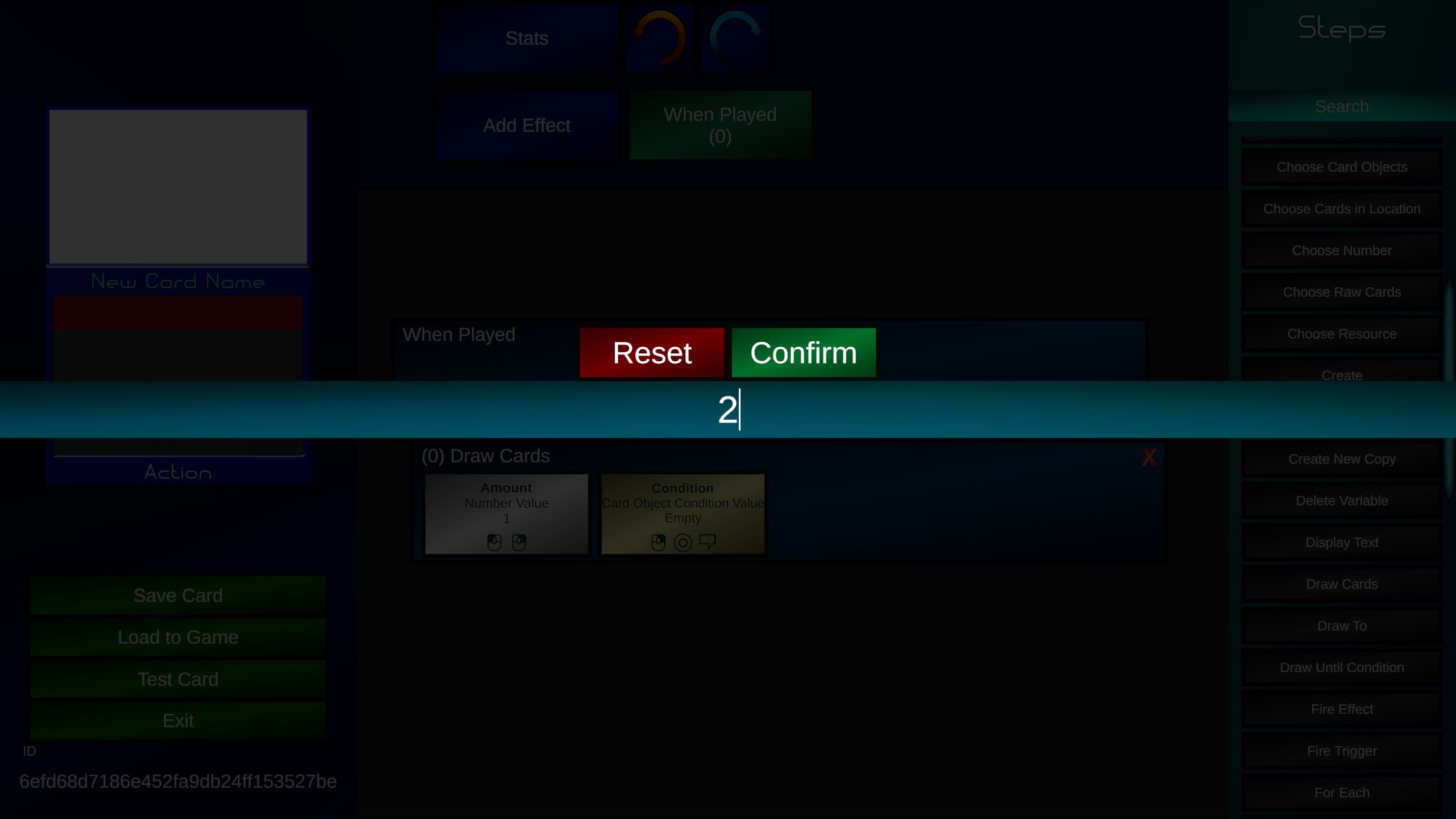
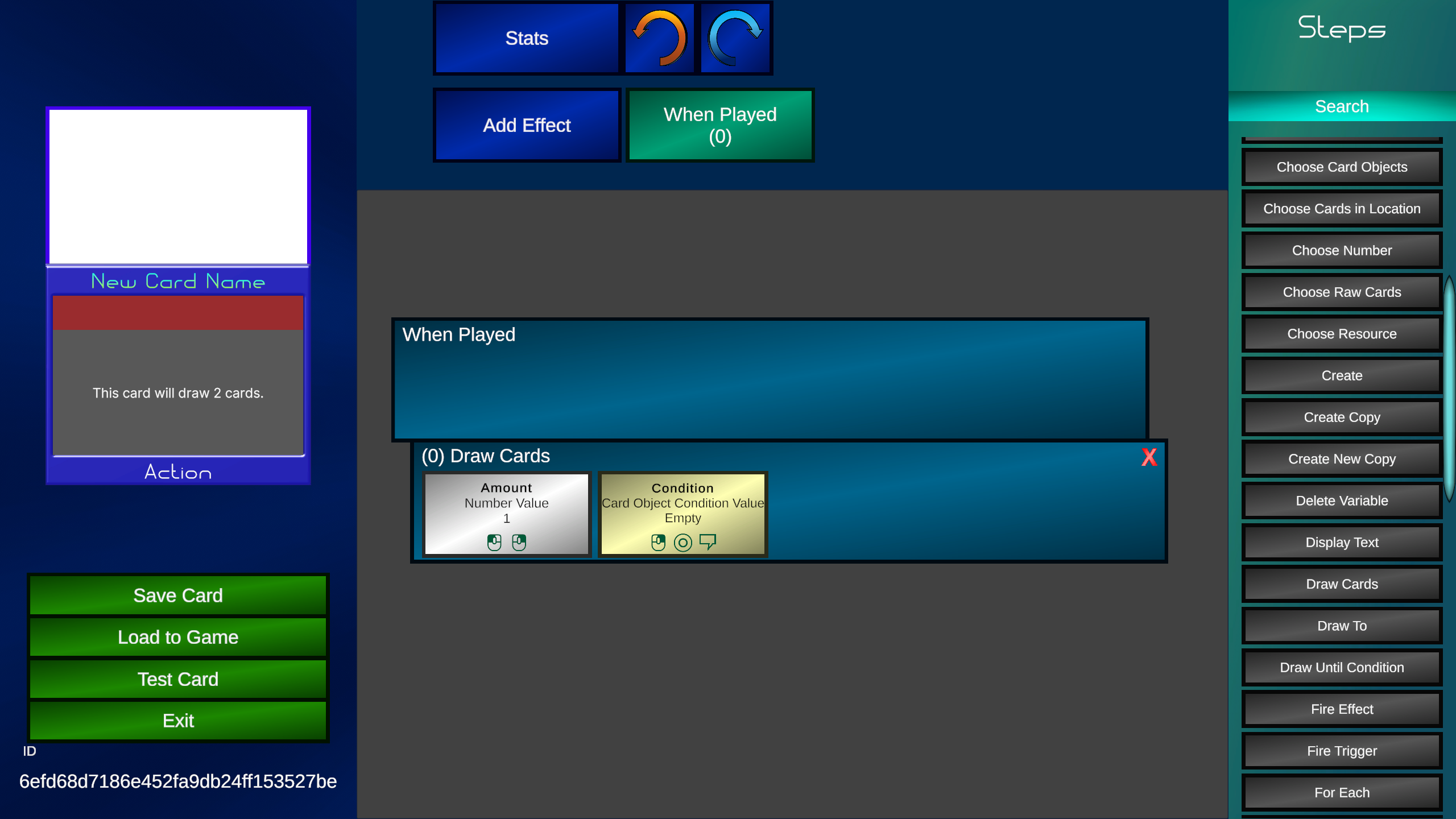 So as of right now, playing this card will draw 1 card. But we want to draw 2 cards. Well we can change that by pressing on the "Amount" slot. Doing this opens up an input screen where we can enter how many cards we want to draw. We will set this number to 2.
 With that, our first card is created. We can now save it by pressing the save button in the left section. You can also press test if you want to make sure the card works, or load to game to actually put it in the game and allow sharing.
Every week I will release 2 updates. One for Timepath's gameplay, and one for the card editor. Join our discord or follow our X account to get notified about updates.